HTML5 Canvas has transformed modern web design. What once required heavy plugins like Flash can now be achieved natively in the browser using JavaScript and the <canvas> element. From interactive particle systems to physics simulations and generative art, canvas enables developers to create visually stunning, high-performance experiences directly on the web.
If you’re looking to level up your HTML5 animation skills or searching for inspiration for your next creative coding project, this curated list of 25 extremely impressive HTML5 canvas experiments will spark new ideas and push your imagination further.
⚠️ Note: Some animations involving flashing lights or rapid movement may not be suitable for individuals with photosensitive epilepsy.
What Makes HTML5 Canvas So Powerful?
Before diving into the experiments, it’s worth understanding why canvas remains such a powerful tool in 2026:
-
Pixel-level control for custom rendering
-
High-performance 2D and WebGL graphics
-
Real-time interactivity
-
Physics simulations and particle systems
-
Game development capabilities
-
Generative and procedural art
-
Integration with libraries like Three.js, Anime.js, GSAP, and p5.js
Unlike SVG, which is vector-based and DOM-dependent, canvas draws directly to a bitmap surface, allowing for thousands of animated elements without DOM overhead.
Now let’s explore the experiments.
25 Extremely Cool HTML5 Canvas Animations
1. Orbital Trails
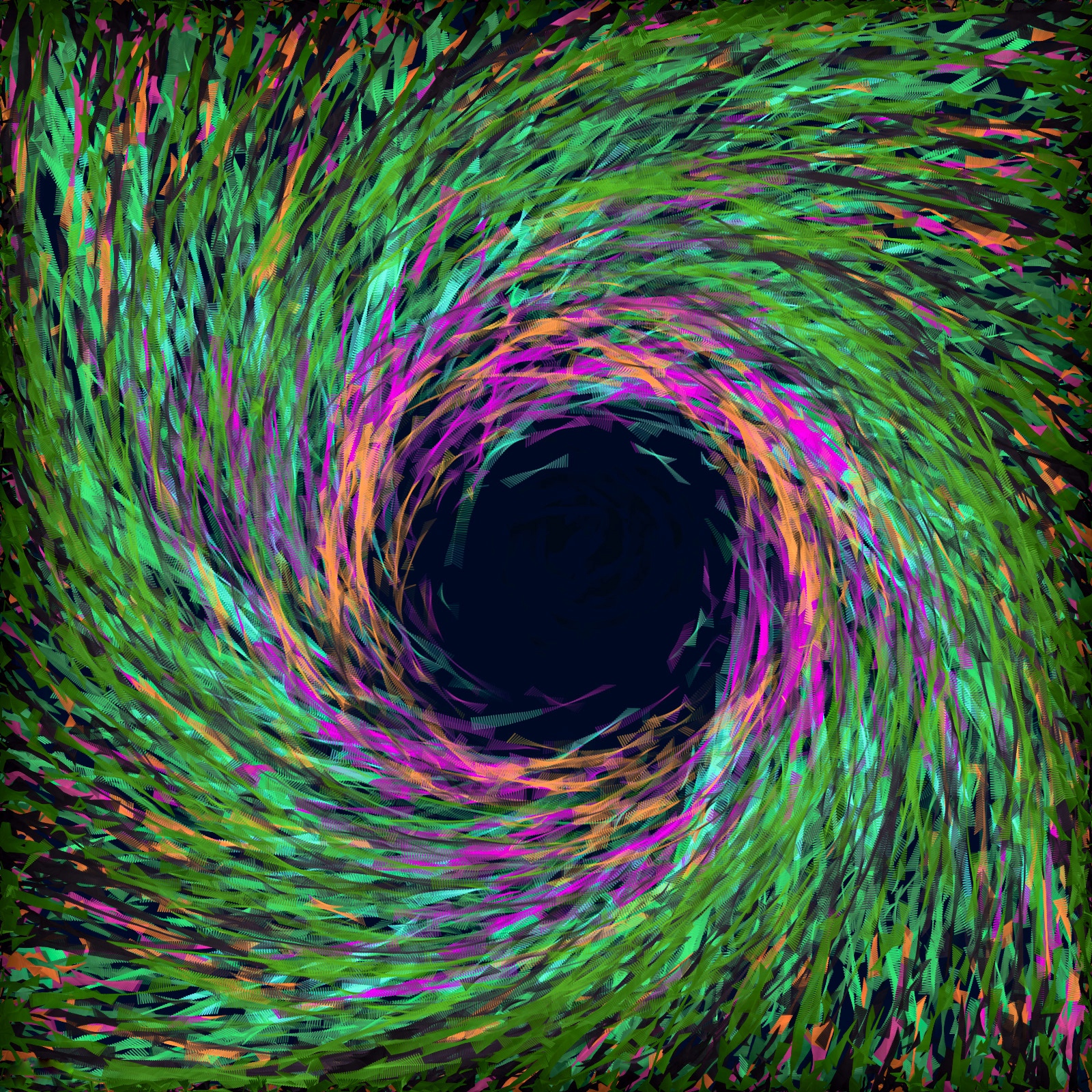
A mesmerizing animation of swirling rainbow particles orbiting invisible centers. Smooth easing and layered opacity create hypnotic visual trails. Great inspiration for generative art lovers.
Tech Concepts:
Particle systems, trigonometry, motion trails, additive blending.
2. Neon Hexagon Patterns

Glowing particles trace a honeycomb grid structure. The geometric repetition combined with neon lighting gives this a futuristic cyberpunk aesthetic.
Tech Concepts:
Hex grid math, glow effects, shadow blur rendering.
3. Long Shadow Simulation

Move the light source and watch dynamic shadows shift in real-time. This experiment demonstrates 2D ray casting and collision detection in a simple yet powerful way.
Tech Concepts:
Ray casting, vector math, light simulation.
4. Animated Particle Background
A cosmic network of nodes connected by glowing lines. As the mouse moves, particles respond, creating an interactive constellation effect.
Perfect For:
Landing pages, hero sections, tech startup websites.
5. Click Response Explosion
Click anywhere and colorful circular bursts expand outward. Simple concept, delightful result.
Tech Concepts:
Event listeners, radial expansion, easing animations.
6. Heart Particles

A romantic shower of glowing heart-shaped particles. Ideal for themed landing pages or seasonal campaigns.
7. Colorful Ribbons
Bands of vibrant light sweep across the screen in smooth waves. The animation feels organic and fluid.
Tech Concepts:
Bezier curves, gradient fills, motion smoothing.
8. Draw With Text
Instead of drawing lines, your mouse paints with randomly generated words. A creative twist on interactive typography.
Use Case:
Portfolio sites, interactive storytelling.
9. Rotating Spiral

A 3D spiral made of rotating lines that reacts to mouse movement. Demonstrates perspective math and depth simulation.
10. Shape Shifting Text
Type text and watch it transform into a dynamic particle-based formation. Letters dissolve and reform with style.
Tech Concepts:
Text-to-particle mapping, pixel sampling.
11. Falling Confetti
A celebratory cascade of colorful confetti pieces falling naturally with gravity simulation.
Perfect For:
Checkout success pages, event announcements.
12. Parallax Skyline
A minimalist side-scrolling cityscape with layered parallax depth. Nostalgic retro gaming vibes.
Tech Concepts:
Layered background motion, perspective illusion.
13. Ambient Bokeh Background
Soft, floating circles of light create a dreamy background atmosphere.
Great For:
Luxury brands, photography sites.
14. Fizzy Sparks
Hover the mouse and watch bright sparks scatter energetically. Reactive and satisfying.
15. Anime.js Fireworks

Click to launch stylized fireworks bursts. Combines Anime.js timing with canvas particle rendering.
16. Mechanical Grass
Move your mouse and watch digital blades of grass grow and bend. Organic motion achieved through physics-like calculations.
17. Interactive Stars
Stars connect into constellations when you hover nearby. A popular interactive background technique.
18. Gravity Points
Click to create a gravitational force that attracts all particles. Demonstrates vector acceleration.
19. Particle Swarm
Particles simulate magnetic fields and swirling currents. A perfect demonstration of advanced physics math.
20. Crowd Simulator
A humorous simulation of tiny agents walking across the screen, avoiding collisions.
Tech Concepts:
Boids algorithm, pathfinding basics.
21. Birds of a Feather
A flocking simulation inspired by nature. Shows how simple rules create complex emergent behavior.
22. Lightning Effect
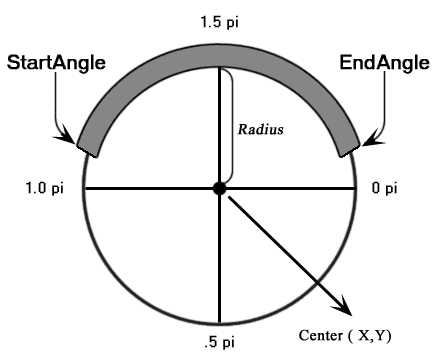
Connect two points and watch procedural lightning strike between them.
23. Noise Abstraction
Uses Perlin or Simplex noise to generate evolving abstract visuals.
Perfect For:
Background generators, experimental art.
24. Liquid Lights
Flashing fluid light patterns that resemble nightclub lasers or concert visuals.
25. Rainbow Spider
A playful animation where a spider hangs on a web and reacts to your movement.
Why HTML5 Canvas Experiments Matter
These experiments are more than just eye candy. They:
-
Demonstrate advanced math and physics principles
-
Inspire UI/UX innovation
-
Improve front-end development skills
-
Showcase portfolio capabilities
-
Push browser performance boundaries
Creative coding using canvas is increasingly valuable for interactive marketing, data visualization, gaming, and immersive storytelling.
Tools and Libraries That Elevate Canvas Projects
To build similar experiments, consider:
-
Three.js (WebGL 3D graphics)
-
Anime.js (Animation timing)
-
GSAP (Professional animation engine)
-
p5.js (Creative coding framework)
-
PixiJS (High-performance 2D rendering)
How to Start Building Your Own Canvas Experiment
-
Master JavaScript fundamentals
-
Learn coordinate systems and vector math
-
Understand animation loops (requestAnimationFrame)
-
Experiment with particle systems
-
Explore blending modes and gradients
-
Study physics simulations
-
Optimize performance for mobile devices
Start small. Build a bouncing ball. Then expand into particle explosions, light simulations, or interactive backgrounds.
The Future of HTML5 Canvas in 2026
Canvas continues to evolve with:
-
WebGPU integration
-
AI-driven generative visuals
-
Immersive WebXR experiences
-
High-performance rendering engines
-
Real-time data visualizations
With increasing browser performance and GPU acceleration, web-based animations are reaching cinematic quality levels.
Final Thoughts
HTML5 Canvas remains one of the most exciting tools in front-end development. These 25 experiments prove that creativity combined with math and JavaScript can result in breathtaking interactive experiences.
Whether you’re a beginner learning animation basics or a seasoned developer pushing the limits of generative art, canvas offers endless creative freedom.
Frequently Asked Questions (FAQ) About HTML5 Canvas Experiments
1. What is HTML5 Canvas?
HTML5 Canvas is a <canvas> element in HTML that allows developers to draw graphics dynamically using JavaScript. It provides pixel-level control for rendering shapes, images, animations, games, and interactive visual effects directly in the browser.
2. How is Canvas different from SVG?
Canvas is raster-based (pixel-based), meaning once something is drawn, it becomes part of the bitmap. SVG is vector-based and uses DOM elements for each shape.
Canvas is better for:
-
Particle systems
-
Complex animations
-
Games
-
Thousands of moving objects
SVG is better for:
-
Icons
-
Scalable graphics
-
Static illustrations
3. Do I need advanced math to create Canvas animations?
Basic animations require simple math like coordinates and velocity. However, advanced experiments (like particle swarms, gravity simulations, or 3D spirals) often involve:
-
Trigonometry (sine, cosine)
-
Vector math
-
Physics calculations
-
Perlin/Simplex noise algorithms
You can start simple and gradually learn more complex math concepts.
4. Is HTML5 Canvas good for SEO?
Canvas content itself is not directly readable by search engines because it renders pixels, not text-based HTML. However, you can maintain SEO by:
-
Adding semantic HTML content around the canvas
-
Including descriptive text
-
Using accessible labels and ARIA attributes
-
Providing fallback content inside the <canvas> tag
5. Are HTML5 Canvas animations mobile-friendly?
Yes, but performance depends on optimization. To ensure smooth performance on mobile devices:
-
Limit particle count
-
Use requestAnimationFrame
-
Optimize redraw regions
-
Reduce shadow blur and heavy effects
-
Test on real devices
6. What are the most popular libraries for Canvas animations?
Some widely used libraries include:
-
Three.js (3D WebGL graphics)
-
PixiJS (High-performance 2D rendering)
-
Anime.js (Lightweight animation library)
-
GSAP (Professional-grade animations)
-
p5.js (Creative coding framework)
These tools simplify complex animations and improve productivity.
7. Can HTML5 Canvas be used for game development?
Absolutely. Many browser-based games use Canvas or WebGL. It supports:
-
Collision detection
-
Physics simulations
-
Sprite animations
-
Real-time rendering
-
User interaction
For more advanced games, developers often combine Canvas with game engines or WebGL libraries.
8. Is Canvas better than CSS animations?
It depends on the use case.
-
CSS animations are great for UI transitions and simple effects.
-
Canvas is better for dynamic, physics-driven, or large-scale animations involving thousands of elements.
Canvas gives you more control but requires more JavaScript logic.
9. Can Canvas trigger performance issues?
Yes, poorly optimized canvas animations can cause:
-
High CPU usage
-
Battery drain
-
Frame drops
-
Browser lag
Best practices include optimizing loops, minimizing redraw areas, and reducing expensive rendering effects.
10. Are Canvas animations accessible?
By default, canvas content is not accessible because it’s pixel-based. To improve accessibility:
-
Provide text alternatives
-
Add descriptive labels
-
Offer reduced motion options
-
Respect user “prefers-reduced-motion” settings
Accessibility should always be considered in animation-heavy projects.
11. What is requestAnimationFrame() and why is it important?
requestAnimationFrame() is a browser API used to create smooth animations. It synchronizes animations with the browser’s refresh rate, improving performance and efficiency compared to setInterval().
12. Can I combine HTML5 Canvas with WebGL?
Yes. WebGL is often used within the canvas element for hardware-accelerated 3D rendering. Libraries like Three.js make it easier to build immersive 3D experiences.
13. Is HTML5 Canvas still relevant in 2026?
Definitely. With WebGPU, AI-generated visuals, interactive storytelling, and immersive web experiences on the rise, canvas remains a powerful and relevant tool for developers and designers.
14. Where can I find inspiration for Canvas experiments?
You can explore:
-
CodePen
-
GitHub repositories
-
Creative coding communities
-
Front-end showcase websites
-
Open-source generative art projects
Studying real-world experiments helps improve both creativity and technical skills.
15. How can beginners start learning HTML5 Canvas?
Start with:
-
Drawing basic shapes (rectangles, circles)
-
Moving objects across the screen
-
Understanding animation loops
-
Building a simple particle system
-
Experimenting with mouse interaction
Practice consistently and gradually explore more advanced techniques.