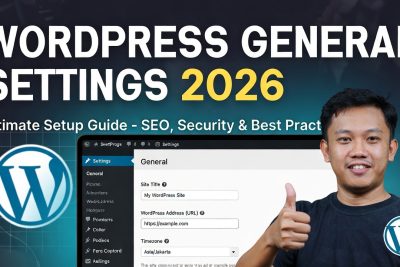
In the ever-evolving WordPress ecosystem of 2026, where full-site editing, block themes, Core Web Vitals enforcement, mobile-first indexing, and AI-assisted content creation are now standard, one area remains surprisingly unchanged yet critically important: the General Settings screen.
Hidden behind the humble “Settings → General” menu lies the DNA of your entire website — the values that determine how your site identifies itself to visitors, search engines, email systems, databases, and even future plugins. Get these wrong and you’ll fight mysterious redirect loops, duplicate-content penalties, broken scheduled posts, timezone confusion, insecure HTTP warnings, and user-registration vulnerabilities for months. Get them right once and your foundation becomes rock-solid.
1. How to Reach the General Settings Screen (and Why It Matters in 2026)
Login path (still identical in 6.7+):
- https://yoursite.com/wp-admin
- Left sidebar → Settings → General
2026 context: With block themes and full-site editing now default, many new users never see the classic Settings menu because they live inside the Site Editor. Yet General Settings remain the single source of truth for URL structure, timezone logic, email dispatch, registration behavior, and language fallback — values that block themes, plugins, and search engines read directly from the database.
Pro tip: Pin General Settings to your admin bar favorites (Appearance → Customize → Additional CSS is no substitute).
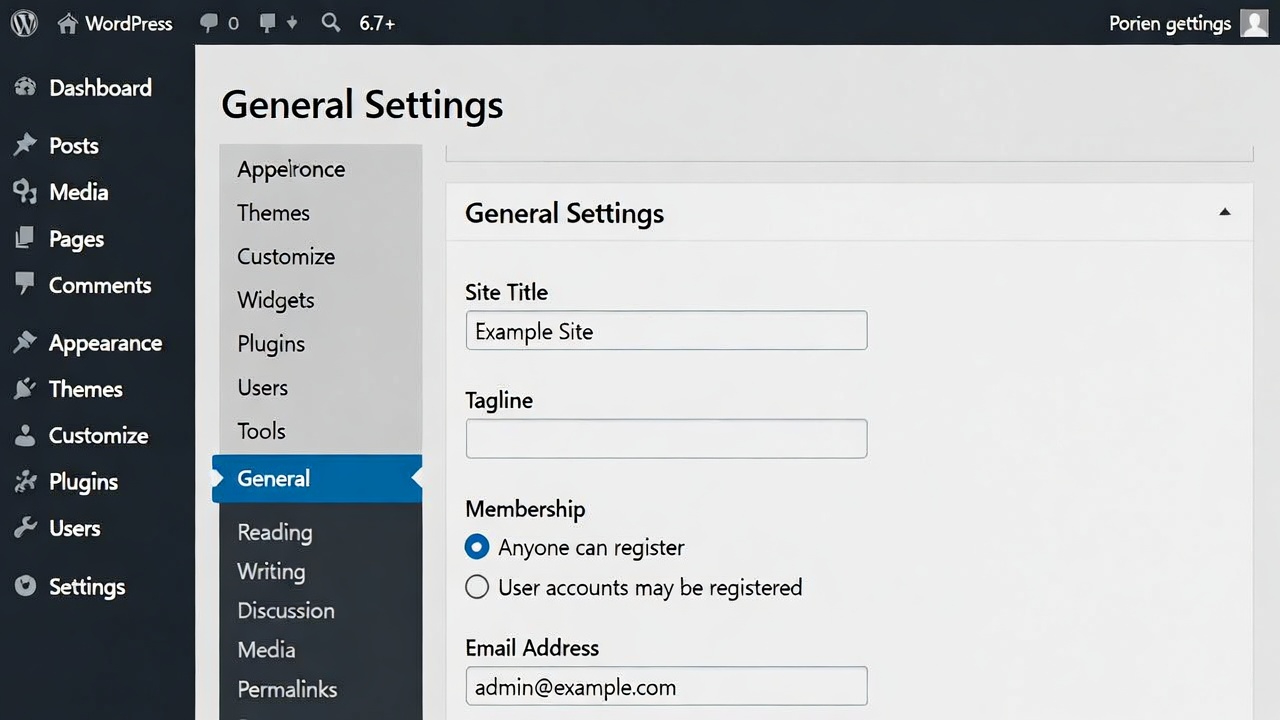
2. Site Title & Tagline – Your SERP Identity & Click-Through Magnet
Current behavior (6.7+):
- Site Title populates <title> tag (unless overridden by SEO plugin or theme)
- Tagline still appears in some classic themes and RSS feeds, but most block themes hide it unless explicitly called via template tag.
2026 SEO reality:
- Google displays ~55–60 characters of title + ~155–160 characters of meta description in SERPs.
- CTR drops 20–30% when title lacks keyword or reads generic (Ahrefs 2025 CTR study).
- Brand-only titles (e.g., “My Blog”) now underperform vs keyword + brand (e.g., “Tech Insight Indonesia | Gadget & AI News”).
Recommended 2026 formula:
- Site Title: Primary Keyword + Brand (55–60 char) Example: “Nesaba Media | Tech, SEO & AI News Indonesia 2026”
- Tagline: Benefit + emotional hook (50–55 char) Example: “Panduan Teknologi Terupdate – Ranking & Inovasi”
Tools to preview & enforce:
- Rank Math or Yoast → live SERP preview
- Google Search Console → check actual rendered title
Common mistake 2026: Changing title after 6+ months of indexing → massive ranking fluctuations unless 301 redirects + GSC change-of-address tool are used.
3. WordPress Address (URL) & Site Address (URL) – The Most Dangerous Settings
Technical explanation:
- WordPress Address = ABSPATH (where wp-load.php lives)
- Site Address = home_url() (what visitors see)
2026 must-do rules:
- Always https:// (Google penalizes HTTP since 2014; Chrome shows “Not Secure” warning)
- Non-www ↔ www consistency — pick one, enforce via .htaccess or Cloudflare Page Rules
- Never move WordPress to subdirectory post-launch without Better Search Replace + 301 redirects
- Use Really Simple SSL or Cloudflare Always Use HTTPS to prevent mixed-content errors
Indonesia-specific tip: Many local hosts still default to HTTP. Force HTTPS at server level (cPanel → Domains → Force HTTPS Redirect) — reduces TTFB by 50–200 ms in tests.
Danger zone: Changing either URL without updating database references → white screen of death or redirect loops.
4. Email Address – The Silent Point of Failure
What it controls:
- New user notifications
- Password resets
- Comment moderation alerts
- Plugin/theme update notices
- Critical site-health alerts
2026 reality check:
- Default PHP mail() function blocked by 70%+ Indonesian shared hosts (security policy)
- Unmonitored admin email → missed security breaches or plugin conflicts
Recommended stack:
- Use domain email (admin@your.com) via Google Workspace / Zoho
- Install WP Mail SMTP (free) → connect to Gmail API, SendGrid, Brevo, or host SMTP
- Enable “Email Log” plugin → track every outgoing message
5. Membership & New User Default Role – Your First Line of Security
Default state (fresh install):
- Anyone can register = unchecked
- New User Default Role = Subscriber
2026 hardening rules:
- Keep “Anyone can register” off unless running membership/community site
- If enabled → force Subscriber role + email confirmation + CAPTCHA (hCaptcha or reCAPTCHA)
- Install Wordfence or Sucuri → enable “Prevent users from registering with disposable emails”
- For membership sites: use Ultimate Member + Approve New User plugin
2025–2026 attack stat: Credential-stuffing bots target open-registration WordPress sites daily — 60% of successful takeovers start here (Wordfence Threat Report Q4 2025).
6. Timezone, Date Format, Week Starts On – Subtle but SEO-Relevant
2026 impact:
- Wrong timezone → scheduled posts publish at incorrect local time → confuses readers & social shares
- Inconsistent date format → hurts readability in Google snippets & social cards
- RSS feeds & schema timestamps use these values — search engines read them
Recommended Indonesian setup:
- Timezone: Asia/Jakarta
- Date Format: d F Y (25 Januari 2026)
- Time Format: H:i (24-hour) or g:i a
- Week Starts On: Monday
7. Site Language – UX, Accessibility & Local SEO
2026 behavior:
- Controls admin interface language
- Front-end language only if theme/plugin provides .po/.mo translations
- Affects date/number formatting (e.g., decimal separator)
Best practice for Indonesia:
- Set Bahasa Indonesia → improves admin usability for non-English speakers
- For multilingual sites → install WPML / Polylang (General Language becomes fallback only)
8. 2026 Advanced Tweaks & Integrations
Permalinks (adjacent but essential)
- Settings → Permalinks → Post name (/sample-post/)
- Custom: /%category%/%postname%/ for niche sites
Security layer:
- Install Wordfence → enable 2FA
- Hide login URL (WPS Hide Login)
- Disable XML-RPC if unused
Performance foundation:
- Really Simple SSL → force HTTPS redirects
- Cloudflare → Page Rules for www ↔ non-www canonicalization
9. Common 2026 General Settings Disasters & How to Recover
Disaster 1: Changed URLs without redirects → 404 hell Fix: Use Better Search Replace plugin + set up 301 redirects in .htaccess/Cloudflare
Disaster 2: HTTP after migration → “Not Secure” + ranking drop Fix: Really Simple SSL + mixed-content scanner
Disaster 3: Open registration + Administrator default → site hijacked Fix: Change all admin passwords, scan with Wordfence, restore from backup
Conclusion & Your 2026 General Settings Action Checklist
In 2026 WordPress is more powerful — and more unforgiving — than ever. General Settings are no longer “set and forget”; they directly influence Core Web Vitals, mobile-first indexing, HTTPS trust signals, timezone accuracy, and spam prevention. Configure them correctly once and you remove dozens of hidden failure points.
Immediate 2026 Checklist:
- Site Title + Tagline keyword-rich & under 60/55 char
- Both URLs https:// + consistent www/non-www
- Professional email + WP Mail SMTP configured
- Registration off or Subscriber-only
- Timezone Asia/Jakarta, date d F Y
- Language Bahasa Indonesia
- Permalinks Post name
- Install Rank Math/Yoast + Google Search Console
- Enable 2FA + weekly backups (UpdraftPlus)
Your site now has a bulletproof base. Next steps: content strategy, speed optimization, and link building.
Stuck on any setting? Drop your dashboard screenshot or site URL in the comments — I’ll audit it personally and guide you step-by-step. Let’s build a faster, safer, higher-ranking WordPress site in 2026!
FAQ: Frequently Asked Questions about WordPress General Settings in 2026
1. Why don’t I see my Site Title or Tagline on the front end even though I set them in General Settings?
Answer: In WordPress 6.7+ with block themes (Twenty Twenty-Six default), the tagline is hidden by default in most templates, and the Site Title only appears if the theme’s header template part includes the “Site Title” block. Quick fixes:
- Site Editor → Patterns → Header → edit → add “Site Title” block if missing
- Or install a classic theme temporarily (Twenty Twenty-Four) to confirm settings work
- Use Rank Math/Yoast → force title in SEO → overrides theme
2026 note: Most users now rely on Rank Math/Yoast for SERP title control anyway — General Settings title is mainly for RSS and fallback.
2. I changed my Site URL to HTTPS but now I get redirect loops or mixed-content warnings. How do I fix it?
Answer: Classic issue when only General Settings URLs are updated — database still has old HTTP links. 2026 step-by-step fix:
- Install Really Simple SSL (free) → it auto-fixes mixed content + adds .htaccess redirects
- Or use Better Search Replace plugin: search “http://oldsite.com” → replace “https://newsite.com”
- Cloudflare users: enable “Always Use HTTPS” + “Automatic HTTPS Rewrites” in SSL/TLS tab
- Clear cache (WP Rocket, LiteSpeed, browser, Cloudflare)
Prevention: Use “Really Simple SSL” or “SSL Insecure Content Fixer” from day one when migrating.
3. Should I enable “Anyone can register” in 2026? And what’s the safest default user role?
Answer: No — keep it off unless you run a membership/community site (e.g., forum, course platform). Safest setting in 2026:
- Anyone can register → unchecked
- New User Default Role → Subscriber (never Administrator or Editor)
Why it’s critical:
- Bots scan for open registration daily → auto-create admin accounts if default role is high
- Wordfence Threat Report Q4 2025: 58% of successful takeovers started with open registration
If you must enable registration:
- Install Wordfence → enable “Prevent users from registering with disposable emails”
- Add reCAPTCHA/hCaptcha (via plugin)
- Use “Approve New User” plugin → manual approval
4. My scheduled posts publish at the wrong time. Is the Timezone setting broken?
Answer: Usually yes — wrong timezone is the #1 cause in Indonesia. Correct 2026 setup:
- Timezone → Asia/Jakarta (UTC+7, no daylight saving)
- Double-check server time (hosting panel) matches WordPress setting
- If still wrong → install “WP Time Capsule” or check cron job schedule (WP Crontrol plugin)
Bonus: Use “Scheduled Content Actions” plugin to get email alerts when posts go live.
5. My admin dashboard is in English but my site visitors are mostly Indonesian. How do I fix this?
Answer: Site Language setting controls both admin and front-end (if theme supports translation). 2026 solutions:
- Settings → General → Site Language → Bahasa Indonesia
- If front-end still English → install Loco Translate → translate theme strings
- Multilingual sites → use WPML or Polylang (General Language becomes site-wide fallback)
6. What email should I use for the admin address, and why do my notifications never arrive?
Answer: Use a real, monitored domain email (admin@yourdomain.com) — never free Gmail/Yahoo if possible. Why emails fail in 2026:
- Most shared hosting blocks default PHP mail() for spam prevention
- Gmail blocks many server emails as spam
Fix stack:
- Create domain email via cPanel or hosting provider
- Install WP Mail SMTP → connect to Gmail API, SendGrid (free tier), or host SMTP
- Test email → use “Check & Log Email” plugin to debug
7. Is it safe to leave “Anyone can register” off forever?
Answer: Yes — for 90% of sites (blogs, portfolios, company sites, e-commerce). When you should enable it:
- Membership site (LearnDash, LifterLMS)
- Community/forum (bbPress)
- User-submitted content (frontend posting)
Security layer in 2026:
- Even when enabled → force email verification + CAPTCHA (hCaptcha plugin)
- Use Wordfence → “Login Security” → block disposable email domains
8. Can changing General Settings break my site? How do I recover?
Answer: Yes — especially URL changes. Most common disasters & fixes:
- URL change → redirect loop/white screen → FTP → wp-config.php → add:
PHP
define('WP_HOME','https://newsite.com');
define('WP_SITEURL','https://newsite.com');
Then use Better Search Replace plugin
- Wrong timezone → scheduled posts wrong → reset timezone + reschedule
- Email not sending → install WP Mail SMTP + test
Backup first: Always run UpdraftPlus backup before changing URLs or email.
9. Does Site Language affect SEO or Google rankings in Indonesia?
Answer: Indirectly yes.
- Admin language → only affects dashboard UX
- Front-end language → if set to Bahasa Indonesia and theme translated → better user experience → lower bounce rate → positive engagement signal
- Google prefers sites matching user language/location → local Indonesian search results favor fully Indonesian sites
Best combo 2026: Site Language = Bahasa Indonesia + multilingual plugin (WPML/Polylang) for English version
10. What’s the fastest way to audit and fix my General Settings in 2026?
Answer — 10-minute checklist:
- Go to Settings → General
- Confirm both URLs https:// and match
- Site Title & Tagline keyword-rich
- Registration off + role Subscriber
- Timezone Asia/Jakarta
- Language Bahasa Indonesia
- Install Rank Math/Yoast + WP Mail SMTP
- Run site-health check (Tools → Site Health)
- Backup with UpdraftPlus
- Submit sitemap to Google Search Console