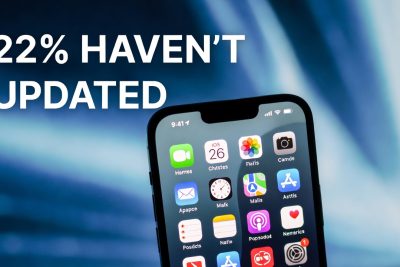
In the fast-evolving world of technology, software updates are essential for improving security, introducing new features, and enhancing the overall user experience. Apple, a global leader in consumer electronics, consistently pushes new updates for its devices, with iOS being the backbone of iPhone functionality. The latest version, iOS 26, has been widely promoted since its release in September 2025. However, a recent survey reveals that 22% of adult iPhone users in the United States have not updated their devices to the latest operating system.
This statistic raises important questions about user behavior, trust, and perceived risks when it comes to technology adoption. In this article, we explore the reasons behind this hesitation, examine the potential implications for Apple, and provide insights into the broader trends in software update adoption.
Survey Overview
The survey, conducted by SellCell with 2,000 adult iPhone users, sought to understand the adoption rate of iOS 26 in the US. Key findings include:
-
22% of users have not updated their devices to iOS 26.
-
61% of respondents adopt a “Wait and See” approach, delaying updates to observe any potential issues reported by other users.
-
Only 28% of users reported no concerns, indicating that the majority of iPhone owners exercise caution when dealing with new software updates.
These results suggest that while Apple has been successful in marketing the update, the adoption rate is affected by a combination of awareness, technical concerns, and behavioral habits.
Reasons for Delayed Updates
1. Lack of Awareness
A significant number of users, 22% according to the survey, were simply unaware that iOS 26 was available. This highlights a gap in communication between Apple and its users. Despite push notifications and marketing campaigns, some users remain uninformed about the release of new updates.
2. Assumptions About Automatic Updates
Approximately 15% of respondents assumed that updates would occur automatically. While iPhones do offer automatic updates, many users have disabled them or rely on manual checks, leading to delays in adoption.
3. Concerns About Battery Life
Battery longevity is a common concern for smartphone users. The survey found that 17% of users were hesitant to update due to fears that iOS 26 might reduce battery performance. Apple has historically improved battery management in updates, but early adopters often report temporary declines, reinforcing this perception.
4. Fear of Reduced Performance
Fifteen percent of respondents worried that updating could slow down their devices. Older iPhone models are sometimes less capable of handling new software features, leading to perceived lag or decreased performance.
5. Interface and Aesthetic Concerns
iOS 26 introduced a new “Liquid Glass” interface, which some users found visually unappealing or harder to read. Aesthetic changes can influence adoption, particularly for users who prioritize familiarity and readability over new design features.
The “Wait and See” Approach
Many users adopt a “Wait and See” strategy, delaying updates until potential issues are resolved or reviewed by early adopters.
-
Benefits: Users avoid potential bugs, performance drops, or unforeseen complications.
-
Risks: They may miss out on important security updates or new features.
Apple faces a challenge in convincing these cautious users to update while maintaining trust and minimizing negative experiences.
Technical and Security Considerations
1. Security Updates
iOS updates often include critical security patches that protect users from malware, phishing, and other cyber threats. Delaying updates leaves users vulnerable to potential attacks.
2. Feature Improvements
iOS 26 introduces several new features, including enhanced AI capabilities, improved privacy settings, and accessibility enhancements. Users who delay updates miss out on these improvements.
3. Backup and Downgrade Limitations
Many users are reluctant to update because iOS does not allow downgrades. Once iOS 26 is installed, reverting to iOS 25 is impossible, which raises concerns about compatibility, stability, and usability.
Behavioral and Psychological Factors
1. Trust in Technology
Trust plays a significant role in software adoption. Users who have experienced bugs, crashes, or performance issues with past updates are more cautious about adopting new versions.
2. Habitual Usage
Long-term iPhone users develop habits around device usage and interface familiarity. Sudden changes, even improvements, can disrupt routines, creating resistance to updating.
3. Peer Influence
Many users rely on feedback from friends, family, or online communities before updating. Social proof is a powerful factor in technology adoption, especially for devices integral to daily life.
Implications for Apple
1. Marketing and Communication
Apple must ensure that users are fully aware of the update and its benefits. Clear, simple communication can reduce misconceptions and encourage adoption.
2. Education and Support
Providing tutorials, FAQs, and in-app guides can alleviate fears about performance, battery life, and interface changes.
3. Early Adopter Feedback
Apple can leverage early adopter experiences to address concerns publicly, demonstrating stability, security, and improved performance in iOS 26.
Comparisons to Previous iOS Updates
Historically, each major iOS release faces adoption challenges:
-
iOS 24: Slow uptake due to concerns about device compatibility.
-
iOS 25: Early reports of battery drain led many users to delay updates.
-
iOS 26: While marketing is stronger, the same patterns of hesitation persist.
Analyzing past trends helps Apple predict adoption rates and prepare strategies to address concerns.
User Strategies to Safely Update
-
Back up devices using iCloud or local storage.
-
Ensure sufficient battery life before starting the update.
-
Check app compatibility to avoid disruptions.
-
Read early reviews from trusted sources about iOS 26 performance.
-
Enable automatic updates for security patches while waiting to manually install major updates.
Global Context
The US is not the only region where users hesitate to update. Surveys in Europe and Asia reveal similar patterns, though adoption rates vary depending on local culture, technology familiarity, and market penetration.
Future Trends in iOS Adoption
-
AI and automation: Apple may integrate predictive update prompts to encourage timely adoption.
-
Battery management improvements: Reducing post-update performance issues could increase user trust.
-
User customization: Allowing more control over interface changes could alleviate resistance.
The survey revealing that 22% of iPhone users in the US have not updated to iOS 26 highlights key insights about user behavior. Awareness, technical concerns, aesthetic preferences, and psychological factors all influence adoption. For Apple, addressing these barriers through communication, support, and design improvements is essential to ensure smooth transitions to future software versions.
iOS 26 offers improved security, features, and a refreshed interface, but trust and user confidence remain central to widespread adoption. By understanding user hesitation, both Apple and its community of users can navigate software updates more effectively.
FAQ: iPhone Users and iOS 26 Update
Q1: What is iOS 26?
A: iOS 26 is the latest version of Apple’s operating system for iPhones, released in September 2025. It includes new features, improved security, and a refreshed interface called “Liquid Glass.”
Q2: Why haven’t 22% of iPhone users in the US updated to iOS 26?
A: The main reasons include lack of awareness of the update, assumptions that updates happen automatically, concerns about battery life, potential slower performance, and dislike for interface changes.
Q3: What does the “Wait and See” approach mean?
A: Many users prefer to delay updates to see if early adopters report issues. This cautious approach helps avoid bugs or performance problems reported by others.
Q4: Will updating to iOS 26 affect my battery life?
A: While Apple usually optimizes battery performance with each update, some users experience temporary battery drain immediately after updating. Over time, these issues are typically resolved.
Q5: Can I downgrade from iOS 26 to a previous version?
A: No, Apple does not allow downgrades once the device is updated to a new iOS version. Users should back up their data and review compatibility before updating.
Q6: How can I safely update my iPhone to iOS 26?
A: Users should back up their device, ensure sufficient battery, check app compatibility, and read early reviews. Automatic updates can be enabled for security patches while waiting to manually install the main update.
Q7: Are older iPhone models compatible with iOS 26?
A: Most recent iPhone models are compatible, but older devices may experience slower performance or limited access to certain new features.
Q8: How does the new “Liquid Glass” interface affect usability?
A: The “Liquid Glass” design is visually modern but some users find it less readable or harder to navigate. Familiarity and preference influence whether users adopt the update quickly.
Q9: How can Apple improve adoption rates for iOS 26?
A: Apple can improve communication about update benefits, provide tutorials and guides, address battery and performance concerns, and highlight early adopter feedback.
Q10: Is delaying an iOS update risky?
A: Yes, delaying an update may leave your device vulnerable to security threats and prevent access to the latest features and improvements. Users should balance caution with timely updates.