When upgrading from shared hosting to a Virtual Private Server (VPS), many users focus primarily on CPU cores, RAM, and storage. However, one of the most critical decisions—often overlooked—is the choice of operating system (OS). The VPS operating system directly affects website performance, application compatibility, security, scalability, and long-term maintenance.
Choosing the wrong OS can lead to serious issues: incompatible control panels, unsupported PHP versions, security vulnerabilities, or even the need for a costly server migration in the future. On the other hand, selecting the right OS from the beginning ensures stability, flexibility, and optimal performance for your website.
In this comprehensive guide, you will learn how to choose the best VPS operating system based on:
-
Website type and technology stack
-
Control panel requirements
-
PHP and application compatibility
-
Security and long-term support
-
Technical skill level and management preferences
This article is designed for website owners, developers, system administrators, and businesses looking to make an informed VPS decision.
1. What Is a VPS Operating System?
A VPS operating system is the core software layer that manages server resources such as CPU, memory, storage, and networking. It acts as the interface between the hardware (virtualized) and the applications running on your server.
Just like a personal computer requires Windows, macOS, or Linux to function, a VPS also needs an OS to:
-
Run web servers (Apache, Nginx, LiteSpeed)
-
Execute scripts (PHP, Python, Node.js)
-
Manage databases (MySQL, MariaDB, PostgreSQL)
-
Handle security updates and system services
Without a properly chosen OS, even the most powerful VPS hardware cannot deliver optimal results.
2. Why the VPS OS Choice Is Critical for Website Performance
The operating system influences performance in multiple ways:
2.1 Resource Efficiency
Some operating systems consume fewer system resources, leaving more CPU and RAM available for your website. Lightweight Linux distributions often outperform heavier systems under the same hardware conditions.
2.2 Software Compatibility
Not all applications and control panels work on every OS. For example:
-
cPanel only supports specific Linux distributions
-
ASP.NET requires Windows Server
-
Certain PHP versions are tied to OS lifecycle support
2.3 Security and Updates
Operating systems with long-term support (LTS) receive regular security patches. Using an OS that has reached End of Life (EOL) exposes your server to vulnerabilities.
2.4 Maintenance and Scalability
A well-supported OS makes upgrades, backups, scaling, and automation significantly easier.
3. Common Types of VPS Operating Systems
VPS operating systems fall into two main categories:
3.1 Linux-Based VPS Operating Systems
Linux dominates the web hosting world due to its stability, performance, and open-source nature.
Popular Linux distributions for VPS hosting include:
AlmaLinux
-
cPanel-recommended replacement for CentOS
-
Enterprise-grade stability
-
Long-term support
-
Ideal for production websites
CloudLinux
-
Optimized for shared and VPS hosting
-
Advanced resource isolation
-
Often used for high-traffic environments
Ubuntu Server (LTS)
-
Developer-friendly
-
Strong community support
-
Frequent updates
-
Excellent for modern frameworks and DevOps
Debian
-
Minimalist and lightweight
-
Extremely stable
-
Ideal for custom server configurations
Linux VPS is best suited for:
-
WordPress websites
-
Laravel, Django, Node.js applications
-
PHP and MySQL-based platforms
-
Most CMS and eCommerce sites
3.2 Windows-Based VPS Operating Systems
Windows VPS is designed for specific Microsoft-based workloads.
Common use cases include:
-
ASP.NET and .NET Core applications
-
MSSQL databases
-
Microsoft Exchange or SharePoint
-
Proprietary Windows-only software
However, Windows VPS requires:
-
Paid OS licensing
-
More system resources
-
Typically higher operational costs
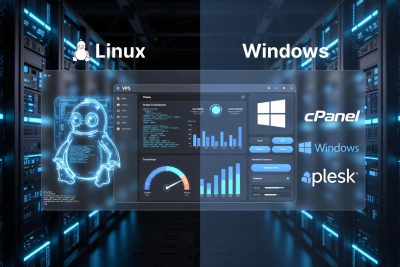
4. Linux VPS vs Windows VPS: A Detailed Comparison
| Feature | Linux VPS | Windows VPS |
|---|---|---|
| Cost | Free (open-source) | Requires paid license |
| Resource Usage | Lightweight | Heavier |
| PHP & MySQL | Native support | Limited |
| .NET / MSSQL | Limited | Native support |
| Control Panels | cPanel, Plesk, CyberPanel | Mostly Plesk |
| Security | Strong with regular updates | Strong but resource-heavy |
| Ease of Customization | Very flexible | Limited |
For most websites, Linux VPS is the recommended choice.
5. Relationship Between VPS OS and Hosting Control Panels
A hosting control panel simplifies server management by providing a graphical interface.
However, each control panel supports only specific operating systems.
5.1 cPanel OS Compatibility
cPanel officially supports:
-
AlmaLinux 8
-
AlmaLinux 9
-
CloudLinux
-
Ubuntu 22.04 LTS
Using unsupported OS versions can cause:
-
Installation failures
-
Update issues
-
Security risks
5.2 Plesk OS Compatibility
Plesk is more flexible and supports:
-
AlmaLinux
-
Ubuntu LTS
-
Debian
-
Windows Server
5.3 CyberPanel Compatibility
CyberPanel typically supports:
-
AlmaLinux 8 & 9
-
Ubuntu 20.04 & 22.04
-
CloudLinux
5.4 VPS Without Control Panel
Without a panel, you can use almost any OS, but this requires:
-
Command-line expertise
-
Manual configuration
-
Advanced system knowledge
6. Key Factors to Consider When Choosing a VPS OS
6.1 Website Technology Stack
-
PHP-based CMS → Linux
-
ASP.NET → Windows
-
Node.js / Python → Linux
6.2 PHP Version Requirements
Older websites may still rely on PHP 7.4, while newer sites require PHP 8.x. OS compatibility matters because:
-
PHP support depends on OS lifecycle
-
Older OS versions may not support newer PHP releases
6.3 Long-Term Support (LTS)
Always choose OS versions with:
-
Active security updates
-
Clear upgrade paths
-
Vendor-backed support
6.4 Control Panel Dependency
Never choose the OS first if you already know which panel you will use. Always follow the panel’s official recommendations.
6.5 Technical Skill Level
-
Beginners → Panel + stable Linux distro
-
Developers → Ubuntu LTS or Debian
-
Enterprises → AlmaLinux / CloudLinux
7. Choosing VPS OS Based on Website Type
7.1 WordPress Websites
Recommended OS:
-
AlmaLinux 8 or 9 (with cPanel)
-
Ubuntu LTS (without panel)
Why:
-
Excellent PHP compatibility
-
Stable MySQL/MariaDB performance
-
Strong security ecosystem
7.2 eCommerce Websites (WooCommerce, Magento)
Recommended OS:
-
AlmaLinux + cPanel
-
CloudLinux for high traffic
Why:
-
High stability
-
Better resource isolation
-
Scalability for peak traffic
7.3 Corporate & Business Websites
Recommended OS:
-
AlmaLinux or Ubuntu LTS
Why:
-
Long-term support
-
Predictable update cycles
-
Strong security compliance
7.4 Developer & Staging Servers
Recommended OS:
-
Ubuntu Server LTS
-
Debian
Why:
-
Fast updates
-
Flexible package management
-
Ideal for CI/CD pipelines
7.5 ASP.NET Applications
Recommended OS:
-
Windows Server (with Plesk)
Why:
-
Native .NET and MSSQL support
8. VPS With Control Panel vs Without Control Panel
VPS With Control Panel
Pros:
-
Easy management
-
Faster setup
-
Ideal for beginners
Cons:
-
Higher cost
-
Less flexibility
VPS Without Control Panel
Pros:
-
Full control
-
Lower resource usage
-
Ideal for developers
Cons:
-
Requires technical expertise
-
Manual security management
9. Common Mistakes When Choosing a VPS OS
-
Choosing OS based on old tutorials
-
Ignoring control panel compatibility
-
Using End-of-Life operating systems
-
Not considering PHP version requirements
-
Underestimating long-term maintenance needs
These mistakes often lead to performance issues, security risks, and forced migrations.
10. VPS OS Comparison Table
| Use Case | Control Panel | PHP Version | Recommended OS |
|---|---|---|---|
| Legacy WordPress | cPanel | PHP 7.4 | AlmaLinux 8 |
| Modern WordPress | cPanel | PHP 8.x | AlmaLinux 8 / 9 |
| Business Website | Plesk | PHP 7.4–8.x | AlmaLinux / Ubuntu |
| Developer Server | None | PHP 8.x | Ubuntu LTS |
| Lightweight Server | None | Any | Debian |
| ASP.NET Apps | Plesk | N/A | Windows Server |
11. Security Considerations When Selecting a VPS OS
Security is not optional. The OS plays a critical role in:
-
Firewall compatibility
-
Kernel security updates
-
Malware protection
-
User access control
Linux distributions with active support are generally more secure due to:
-
Faster patch cycles
-
Strong community oversight
-
Modular permission systems
12. Long-Term Scalability and Future-Proofing
A VPS OS should not only meet current needs but also support future growth:
-
Ability to upgrade PHP versions
-
Support for new frameworks
-
Smooth OS upgrade paths
-
Compatibility with automation tools
Choosing an OS with a clear roadmap ensures your server remains viable for years.
Choosing the right VPS operating system is a strategic decision, not a technical afterthought. The OS you select will affect performance, security, compatibility, and long-term maintenance of your website.
For most websites, Linux VPS with a supported distribution like AlmaLinux or Ubuntu LTS provides the best balance of performance, stability, and flexibility. Windows VPS should only be chosen when Microsoft-specific technologies are required.
By aligning your VPS OS choice with your website type, control panel, PHP requirements, and long-term goals, you can avoid costly mistakes and ensure your server remains reliable and scalable.
Frequently Asked Questions (FAQ)
1. What is a VPS operating system?
A VPS operating system is the core software that manages server resources such as CPU, RAM, storage, and networking. It allows websites and applications to run properly on a virtual private server and determines which software, control panels, and programming languages can be used.
2. Why is choosing the right VPS OS important?
Choosing the correct VPS operating system ensures optimal performance, compatibility with control panels and applications, strong security, and long-term stability. A wrong OS choice can lead to software conflicts, limited PHP support, and costly server migrations.
3. Which VPS operating system is best for websites?
For most websites, a Linux-based VPS such as AlmaLinux, Ubuntu Server LTS, or Debian is the best choice. These operating systems are lightweight, stable, secure, and fully compatible with popular web technologies like PHP, MySQL, and WordPress.
4. Is Linux VPS better than Windows VPS for hosting?
Yes, Linux VPS is generally better for hosting websites because it uses fewer resources, is more secure, and supports most web applications. Windows VPS is only recommended for specific use cases such as ASP.NET or MSSQL-based applications.
5. Which VPS OS is recommended for WordPress?
The most recommended VPS operating systems for WordPress are AlmaLinux 8 or 9 when using cPanel, and Ubuntu Server LTS for VPS without a control panel. These OS options offer excellent PHP compatibility, stability, and long-term support.
6. What VPS OS should I choose if I want to use cPanel?
If you plan to use cPanel, you should choose an OS officially supported by cPanel, such as AlmaLinux 8, AlmaLinux 9, CloudLinux, or Ubuntu 22.04 LTS. Using unsupported OS versions can cause installation and update issues.
7. Can I change the VPS operating system later?
Technically yes, but changing the VPS OS usually requires a full server reinstallation, which means data loss unless proper backups are made. This is why choosing the correct OS from the beginning is highly recommended.
8. What is the best VPS OS for developers?
For developers, Ubuntu Server LTS is often the best choice due to its frequent updates, large community, and strong support for modern frameworks such as Laravel, Node.js, Python, and Docker. Debian is also a solid option for lightweight setups.
9. Which VPS OS supports the latest PHP versions?
Ubuntu Server LTS and newer versions of AlmaLinux support the latest PHP versions, including PHP 8.x. The available PHP versions depend on the OS lifecycle and the package repositories used.
10. What happens if I use an end-of-life (EOL) VPS OS?
Using an EOL operating system is risky because it no longer receives security updates or bug fixes. This increases the risk of hacking, malware infections, and compatibility issues with modern software and control panels.
11. Do I need a control panel to choose a VPS OS?
No, a control panel is not mandatory. However, if you plan to use a control panel like cPanel or Plesk, your OS choice must follow the panel’s official compatibility list. Without a panel, you have more OS flexibility but need technical expertise.
12. What is the best VPS OS for high-traffic websites?
For high-traffic websites, AlmaLinux combined with CloudLinux is often recommended. This setup provides better resource isolation, improved stability, and higher performance under heavy load.
13. Which VPS OS is best for PHP-based websites?
Linux-based operating systems such as AlmaLinux, Ubuntu Server, and Debian are the best choices for PHP-based websites because they offer native PHP support, better performance, and easier server optimization.
14. Is Ubuntu Server good for production websites?
Yes, Ubuntu Server LTS is suitable for production websites, especially for developers and DevOps teams. It offers long-term support, strong security updates, and excellent compatibility with modern web technologies.
15. How do I choose a VPS OS if I’m a beginner?
Beginners should choose a stable Linux OS with a control panel, such as AlmaLinux with cPanel or Plesk. This combination simplifies server management and reduces the risk of configuration errors.